




Threads sits in a sweet spot that social media managers have been waiting for. It’s got that rare mix of solid organic reach, real-time chatter, and actual community vibes that don’t feel forced.
As Meta’s text-first answer to Twitter (X), it’s tied directly into Instagram and growing incredibly fast. With 400 million monthly users and mobile usage that’s already rivaling the giants, it’s a massive opportunity.
But you need to know what you’re working with. In this guide, we’ll walk through the features that actually matter, how they work, and how to use them to build your brand on Threads.
The For You Feed and How the Algorithm Works
Before getting into specific features, it’s worth understanding the environment you’re posting into. Threads runs on an AI-ranked “For You” feed, and knowing what it actually rewards makes a big difference.
The short version: engagement and relevance win.
Replies, reposts, and quote posts carry way more weight than a passive like. Posts that actually get people talking tend to blow up way past your follower count.
Key Threads Features Every Social Media Manager Should Know
1. Threads Insights and Analytics Dashboard
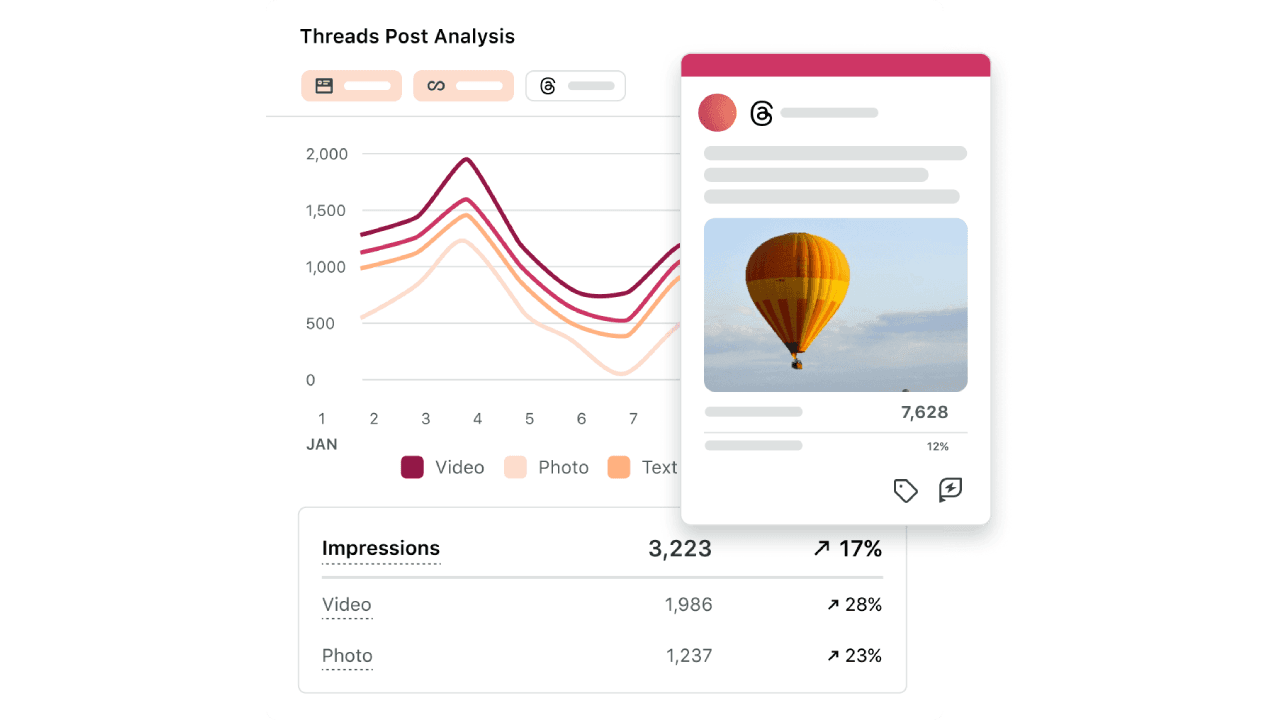
One of the most important updates for professionals using Threads is the Insights dashboard, which provides deeper analytics for performance tracking.
The dashboard now includes:
Views and impressions
Likes, replies, reposts, and quotes
Interactions via media type
Engagement rate
Top posts in terms of most viewed and most liked
Follower growth trends
Audience demographics
This level of analytics allows social media managers to evaluate which types of content
2. Topics Tags
Topic tags are among the most underutilized features for brands on Threads. Unlike hashtags on Instagram or X, Threads topic tags function more like topic subscriptions; users can follow a tag and receive a curated feed of posts under that subject.
When you start typing, it’ll actually suggest trending topics based on what you’re writing or what you usually talk about.
But how can you use topic tags effectively?
Be specific. Skip the massive, generic tags like #Marketing. They’re usually just full of bots and noise. You’re better off using niche ones like #EmailMarketing2026 to actually reach people who care about what you’re saying.
Threads has straight-up said that posts with a topic tag get way more reach than those without. It’s an easy win for the algorithm.
3. Reply Controls and Conversation Moderation
As previously introduced in X/Twitter, Threads also has advanced reply controls, allowing creators to manage who can engage with their posts. Options include:
Everyone can reply
Followers only
Mentioned accounts only
Reply approvals
This moderation layer helps brands protect conversations and maintain a positive community environment. With reply controls, you can prevent spam or toxic replies from damaging brand perception.
4. Feed Customization and Algorithm Control
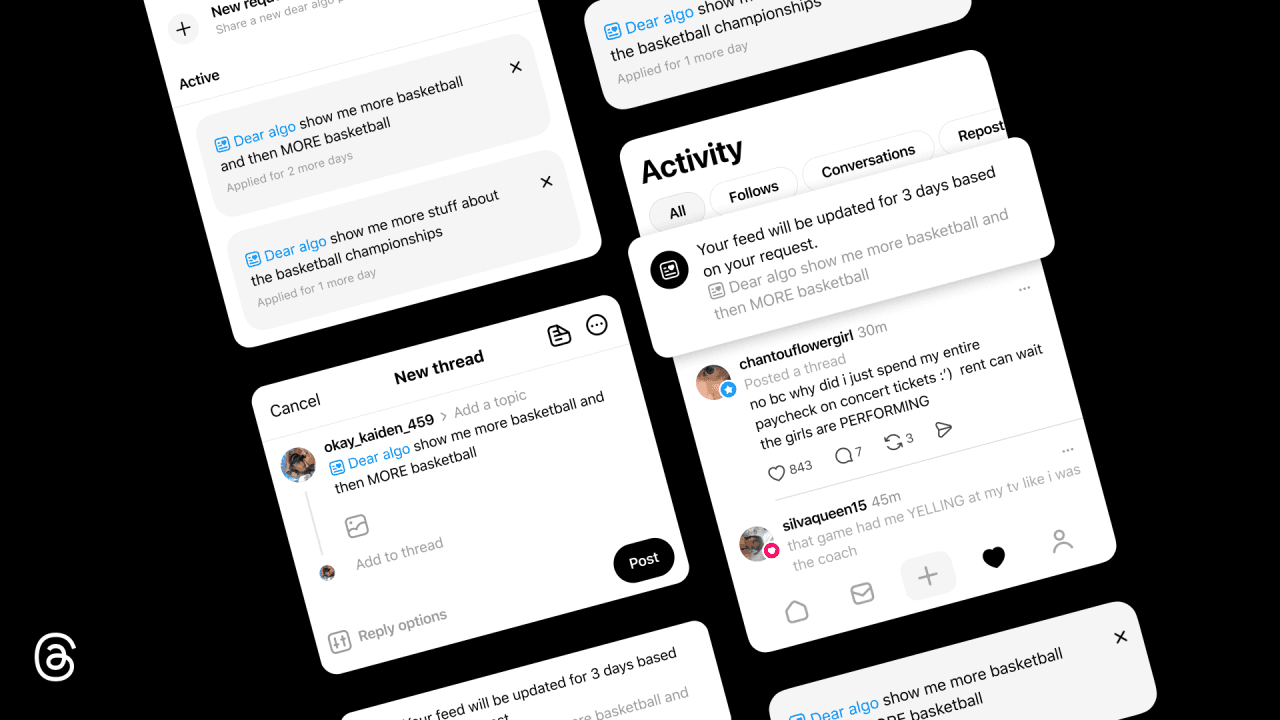
In February 2026, Meta announced its new Dear Algo feature for Threads users. It’s an AI-powered feature that allows you to personalize your algorithm.
Using Dear Algo is simple. Just start a public post with “Dear Algo” and follow it up with whatever you’re into (or what you’re tired of seeing). For example, if you’re looking for new listens, you could just post: “Dear algo, show me more posts about podcasts”.
You’re like giving the algorithm a direct heads-up on what you actually care about. For marketers like you, this means:
Niche communities may grow faster
Content targeting becomes more important
Topic authority becomes a ranking factor
5. Direct Messaging and Group Chats
Threads now supports direct messages with video, image, GIF, and sticker sharing. This brings the platform much closer to feature parity with X/Twitter’s DM functionality.
Group chat functionality is also in development, which would be significant for brand community management. For social media managers, group chats can be used for VIP communities, event planning, and campaign collaborations.
For example, you can create a post like “Join our Threads group chat for exclusive marketing tips.” This builds a high-trust audience segment around your campaigns or events.
6. Post Scheduling: A Game-Changer for Content Teams
In a Thread post by Adam Mosseri, head of Instagram, he announced that users can now schedule posts on Threads.
Simply tap the three-dot menu on the composer, then tap Schedule. Choose a date and time, then tap Schedule again. Posts you’ve scheduled will appear in your drafts folder, where you can edit or delete them as needed.”
Threads now supports both scheduling original posts and scheduling post replies, meaning you can plan and automate entire threaded conversations in advance.
7. Polls as Engagement Tools
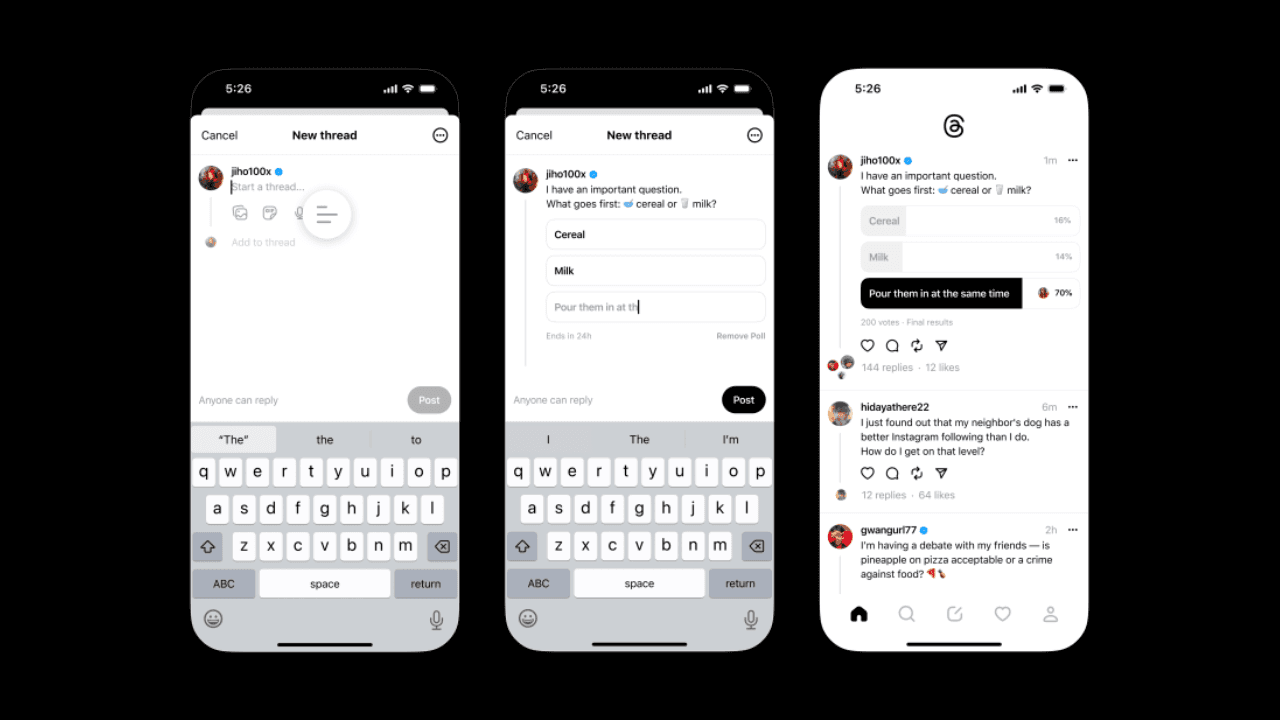
Source: Threads
Threads polls are deliberately simple, and that simplicity is part of their power. You can create a two-option poll directly in the composer. For polls, you can add your question and up to four choices. Once you’re ready, tap Post.
All polls run for exactly 24 hours before automatically closing. No custom durations, no multi-option configurations.
Why do polls work so well on Threads? Because the platform’s algorithm rewards replies and interactions, polls are essentially frictionless reply prompts. Even users who wouldn’t take the time to write a reply will often tap a poll option.
8. Cross-Platform Discovery with Instagram
Let’s say you’re browsing Instagram and you see a suggested Thread post.
Since Threads is integrated with Instagram and Facebook, it has that structural advantage over standalone competitors.
Content on Threads can be recommended to users on Instagram or Facebook, dramatically increasing reach potential. This integration allows:
Shared follower networks
Cross-platform recommendations
Easier account discovery
If you’re a brand, you can quickly grow audiences by either migrating existing Instagram followers or leveraging Meta’s recommendation system.
9. Recommended Content Formats
Not every format hits the same on Threads. Here’s what’s actually worth your time:
Text-First Posts
Threads is still, at heart, a words app. Short takes, hot opinions, and “here’s my honest read on this” posts tend to do really well.
Video (Up to 5 Minutes)
In Threads, you can upload videos up to 5 minutes long, but don’t use all of it. A 15-second vertical clip with a solid text hook above it will almost always outperform a polished long video.
Carousels (Up to 20 Slides)
This is actually one of Threads’ quiet advantages over Instagram. You get up to 20 images or videos in one post. It’s great for step-by-step breakdowns, event recaps, or any “here’s the full story” content.
10. Quote Posts
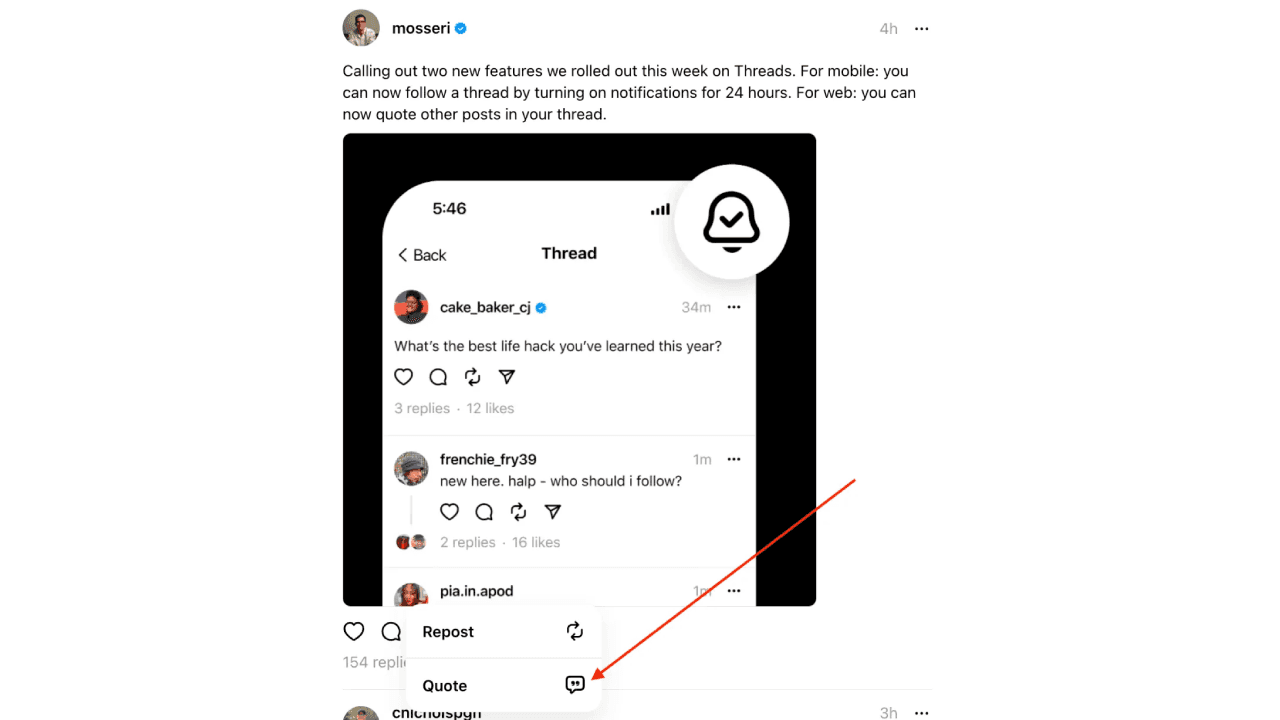
Lastly, we have the quote posts. Like X/Twitter, users can share someone else’s post with their own commentary. But done right, it can spark way more discussion than posting from scratch.
Threads has also made it easier to save quote posts, reshare content you’ve liked, and layer context onto existing conversations.
These features encourage conversation layering, where posts become starting points for broader discussions.
Frequently Asked Questions
Q1: What are the most important top Threads features for growing a brand account?
Topic tags, reply controls, and the native scheduling feature are the three highest-impact capabilities for brand growth. Topic tags expand discoverability, reply controls protect brand conversations, and scheduling enables consistent posting without manual effort. Pairing all three with the Insights dashboard gives you a full management loop.
Q2: Can you schedule Threads posts from third-party tools?
Yes. Buffer, Metricool, and several other social media management platforms now support Threads scheduling and analytics. Threads also supports native scheduling directly in the app, allowing you to save up to 100 drafts and schedule both original posts and replies.
Q3: What’s the difference between Threads topic tags and Instagram hashtags
Threads topic tags function more like topic subscriptions than traditional hashtags. Users can follow a topic and receive a curated feed of all posts under that subject. The tags are algorithmically surfaced as suggestions based on your content and posting history, making them more contextually relevant than manually added hashtags.
Q4: Are Threads analytics comparable to Instagram Insights?
Threads Insights has matured significantly and now includes post-level engagement breakdown, discovery source data, follower growth with geographic demographics, and link click tracking.
While not yet as deep as Meta Business Suite’s Instagram analytics, Threads Insights provides sufficient data for most content strategy decisions.
Conclusion
Are you actively using Threads for brand management, or still evaluating whether it belongs in your content stack?
If this guide saved you time or sparked a new idea, share it with anyone who’s navigating the same learning curve.
Start experimenting with these top Threads features today, and you’ll be better positioned to build a meaningful brand presence while the platform is still growing.