Dashboard Pages
Analytics
Analyze your social media performance with three tabs: General, Demographics, and Post Insights.
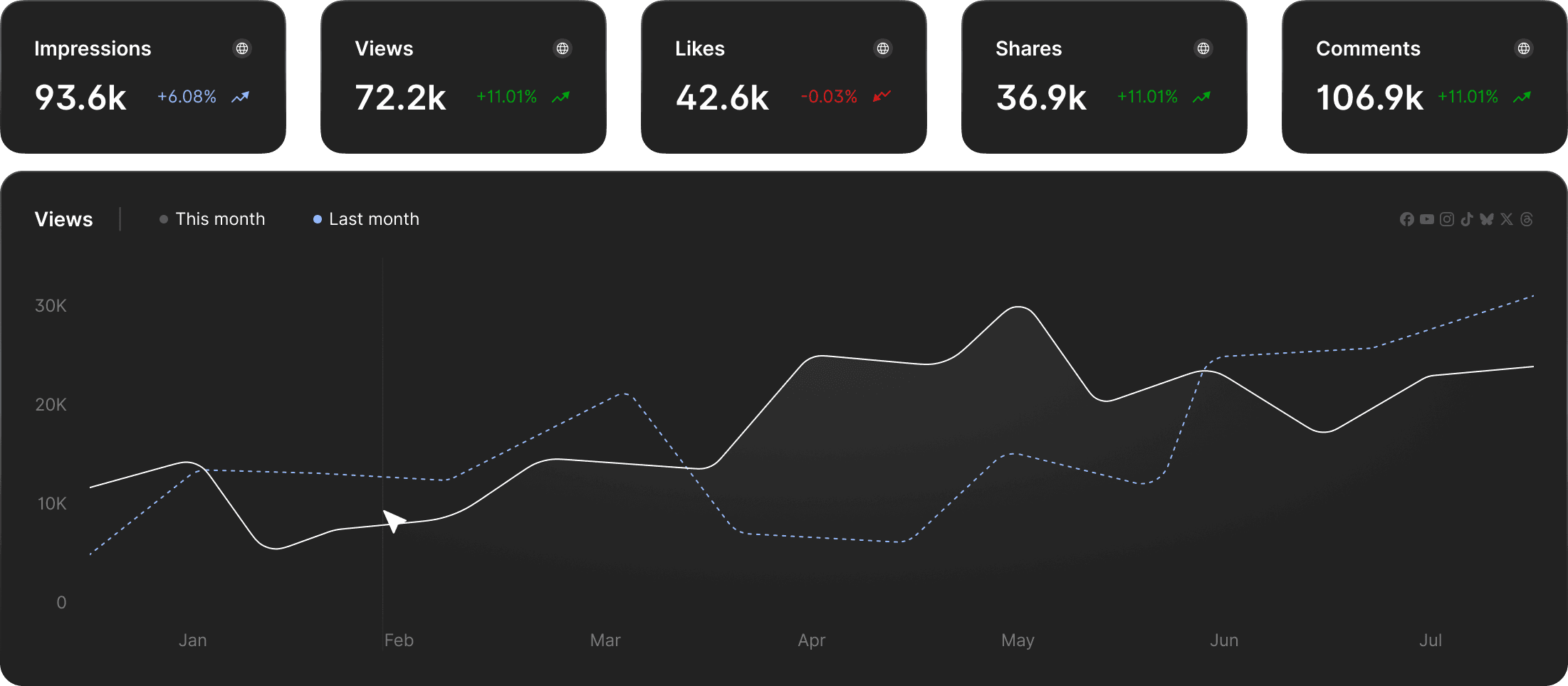
General Tab
Performance metrics:
View totals for impressions, views, likes, shares, and comments with growth percentages compared to the previous period.
Charts and Visualizations:
See views trends over time, engagement by platform, followers by account, views by content type, platform comparisons, and peak engagement hours.
Growth trends:
Charts show performance over time with automatic comparisons to previous periods. Percentage changes indicate growth or decline.
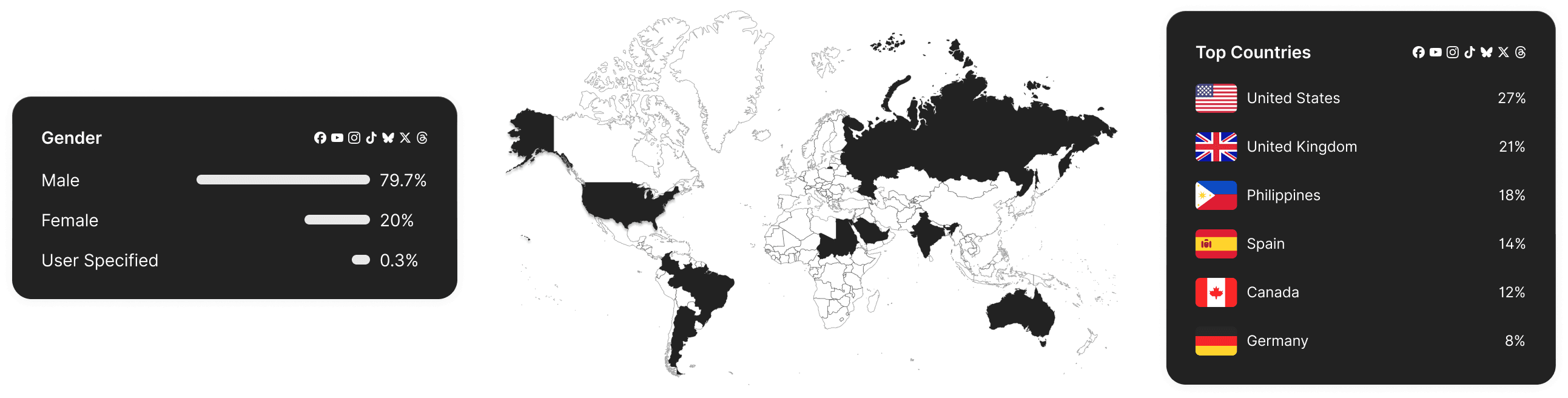
Demographics
Audience demographics:
View age, gender, and location data through charts and graphs. Data comes from your connected platforms.
Using demographic Data:
Use this information to tailor content, posting times, and platform focus to match your audience.
Post Insights
Individual post performance:
See detailed metrics for each post including views, likes, comments, shares, reach, and engagement rate.
Post-level metrics:
Identify which posts perform best and understand what content drives engagement.